This page is a showcase. Analyst-in-a-Box runs on your own computer: clone the repository and run uv run analyst-in-a-box, or double-click run.bat. Every screenshot below is the real app, captured after the input in its caption was typed or loaded.
An AI back office for a small business that runs on your own computer, with no GPU, no account and no model required. It is for the owner or small team of a shop or wholesaler who has orders in a spreadsheet or database and no analyst.
Connect a database or drop in a spreadsheet, then ask questions in English or Roman Urdu and see the SQL that answered them, forecast demand with totals that add up, get odd orders and refunds flagged with reasons, score customers with a points scorecard and a fairness panel, push refunds and credit-limit changes through approval gates with a tamper-evident audit trail, and watch the KPIs on a dashboard. A language model is optional and its output is always checked.
What it does
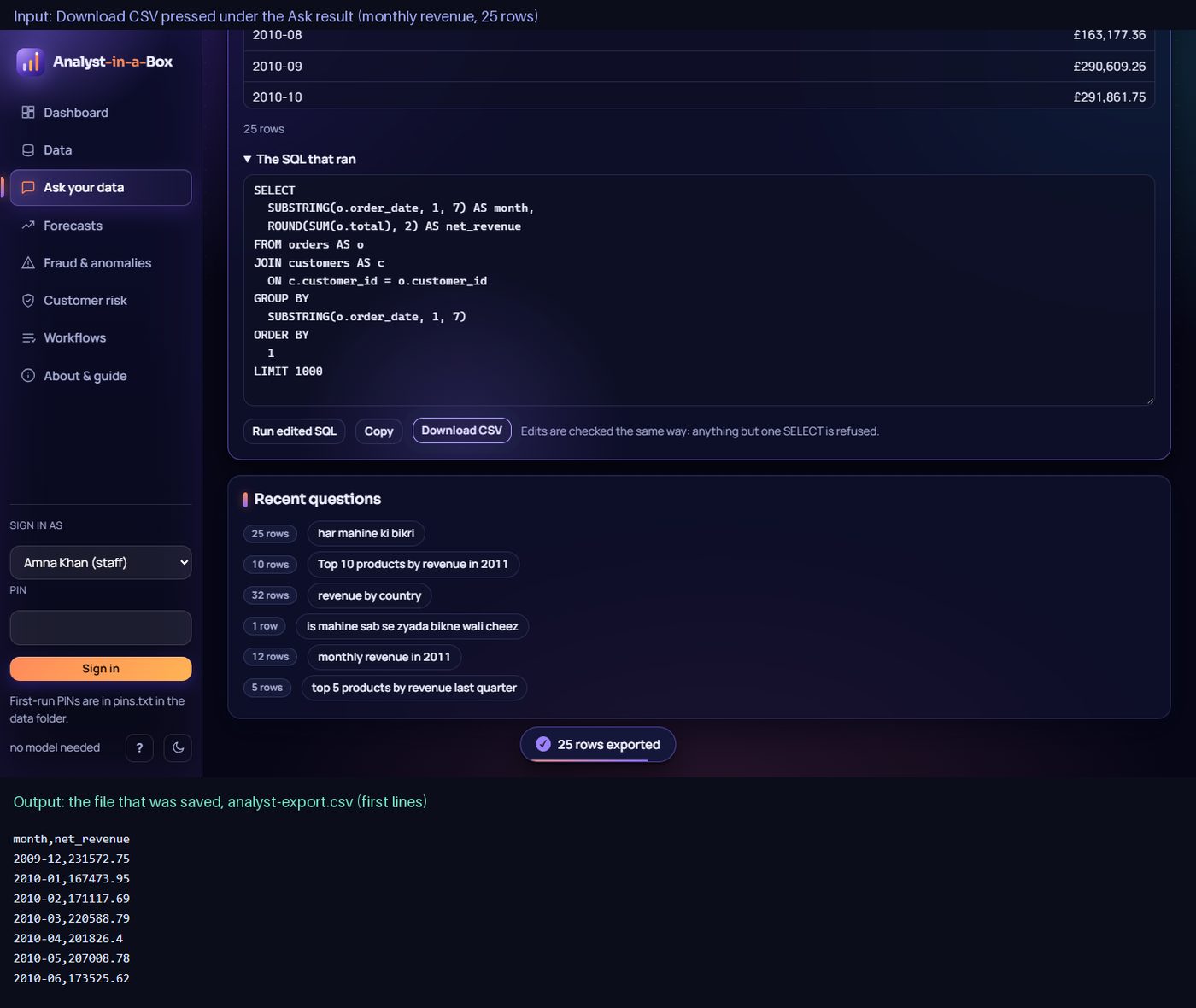
- Ask your data in English or Roman Urdu: chart, table and the SQL that ran, editable, read-only and exportable as CSV.
- Data: bundled sample business, SQLite, PostgreSQL, CSV/TSV/Excel upload or pasted CSV, with a schema browser and three steps for your own sheet (sign in, add it, match its columns); a shop's own product codes and delivery or fee lines are recognised.
- Forecasts: weekly demand per product and category, reconciled so the levels add up; the model of each level is chosen by a backtest that includes the same weeks a year earlier, and every model is scored against seasonal naive.
- Fraud and anomalies: robust z-score and rule checks on orders, refunds and trading days, every alert with its reasons, one click to open a review ticket.
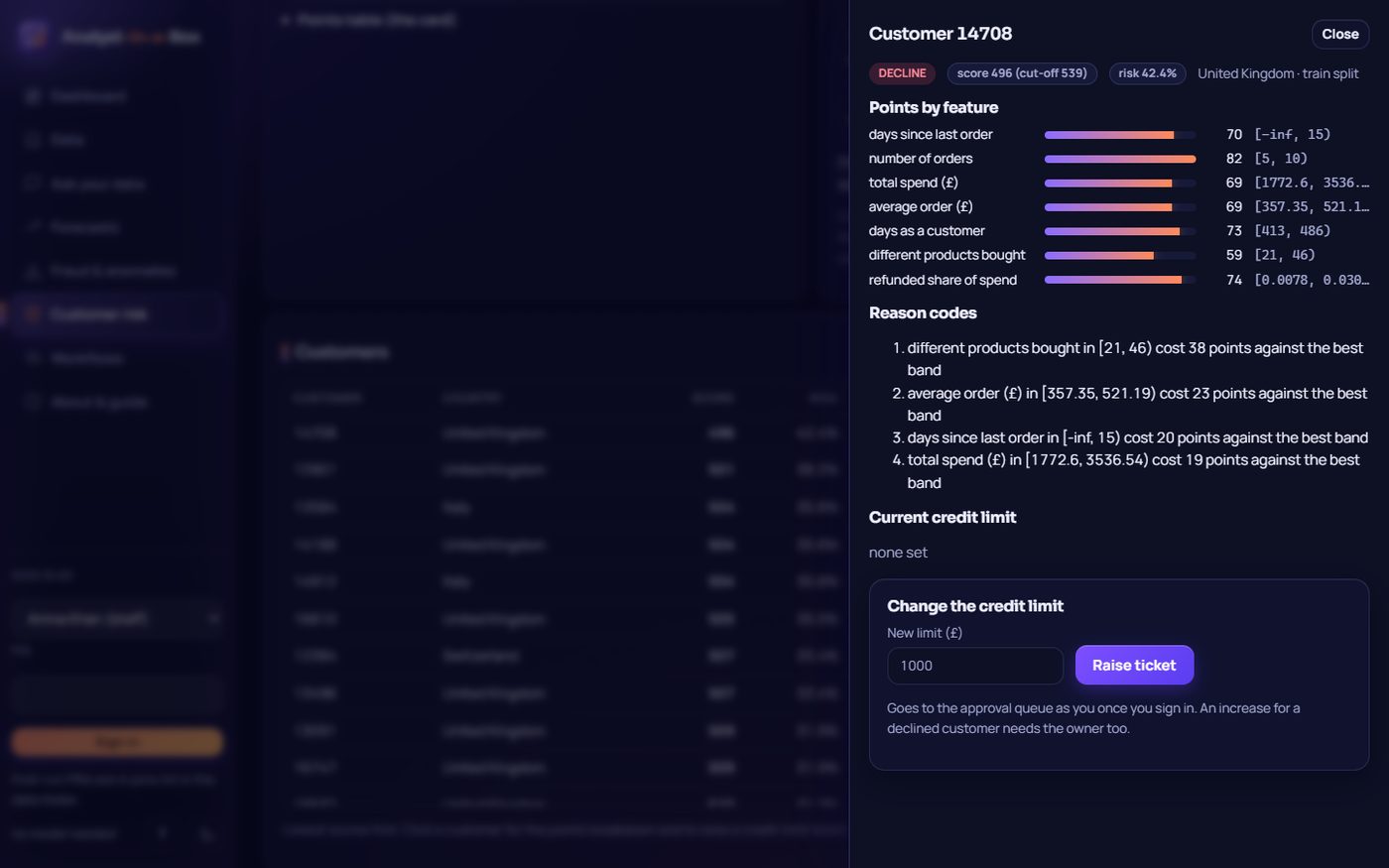
- Customer risk: a points scorecard with reason codes per customer and a fairness panel. It needs about 17 months of orders and at least 10 customers with refunds to learn from; with less, the page says what is missing.
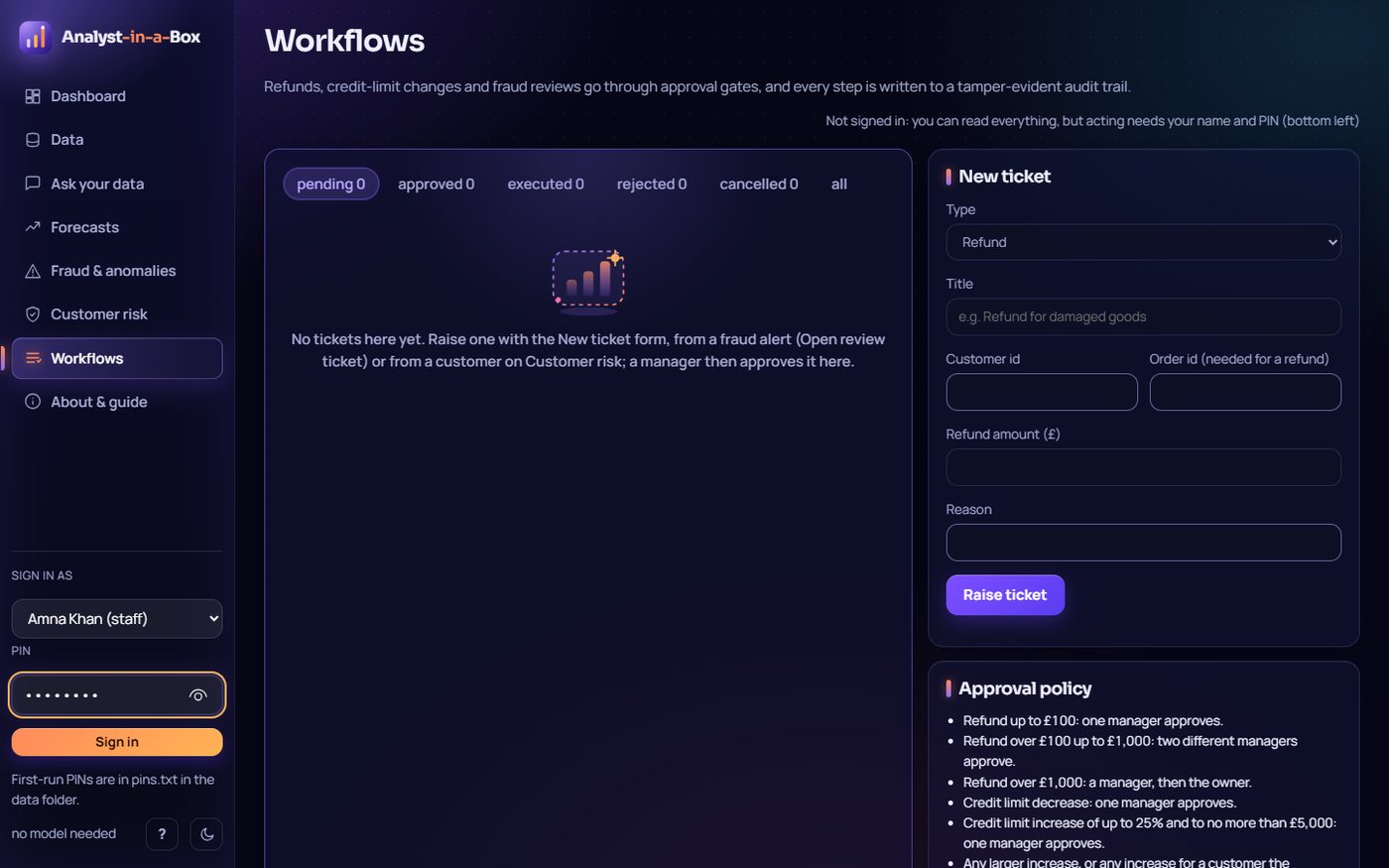
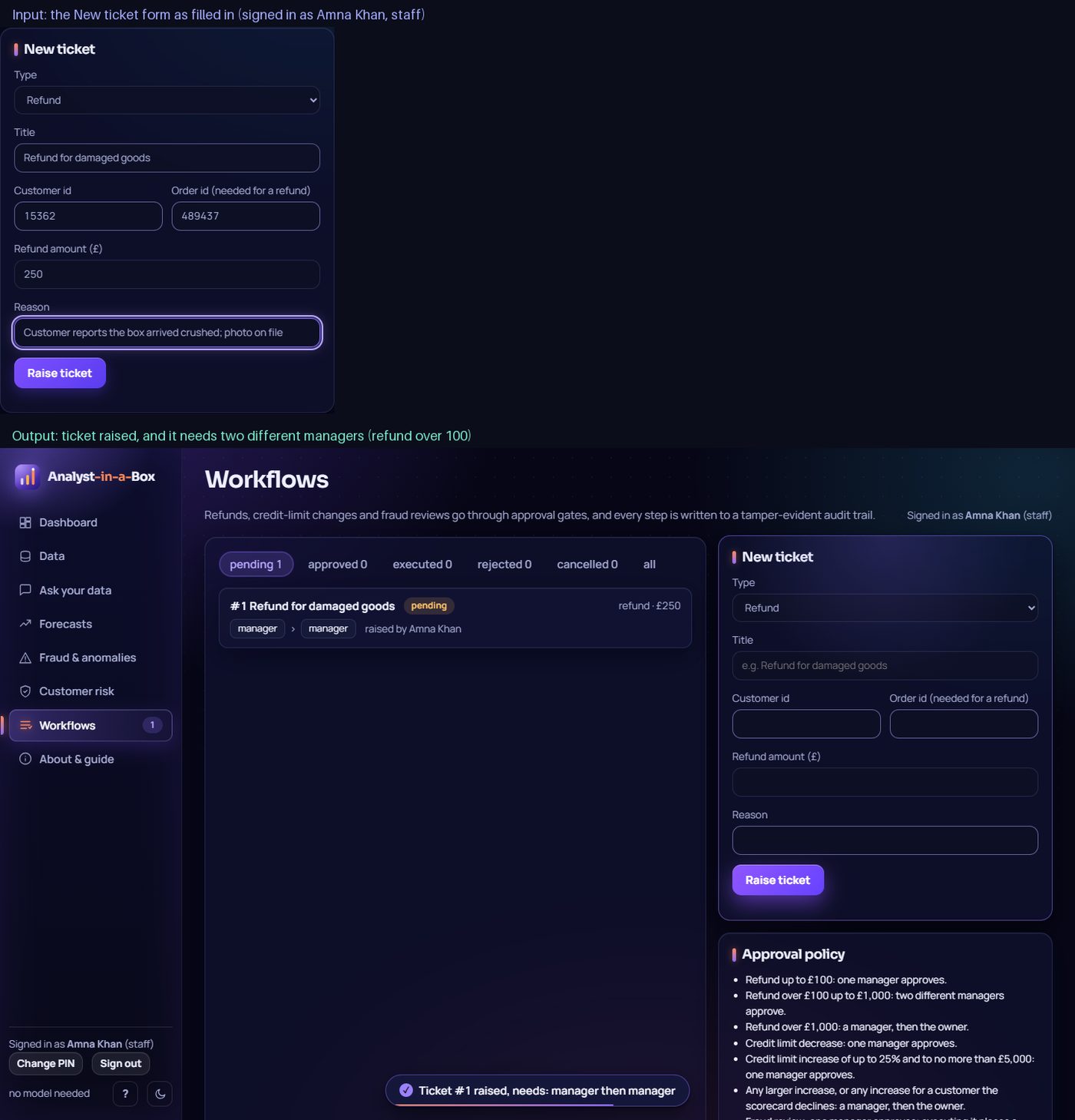
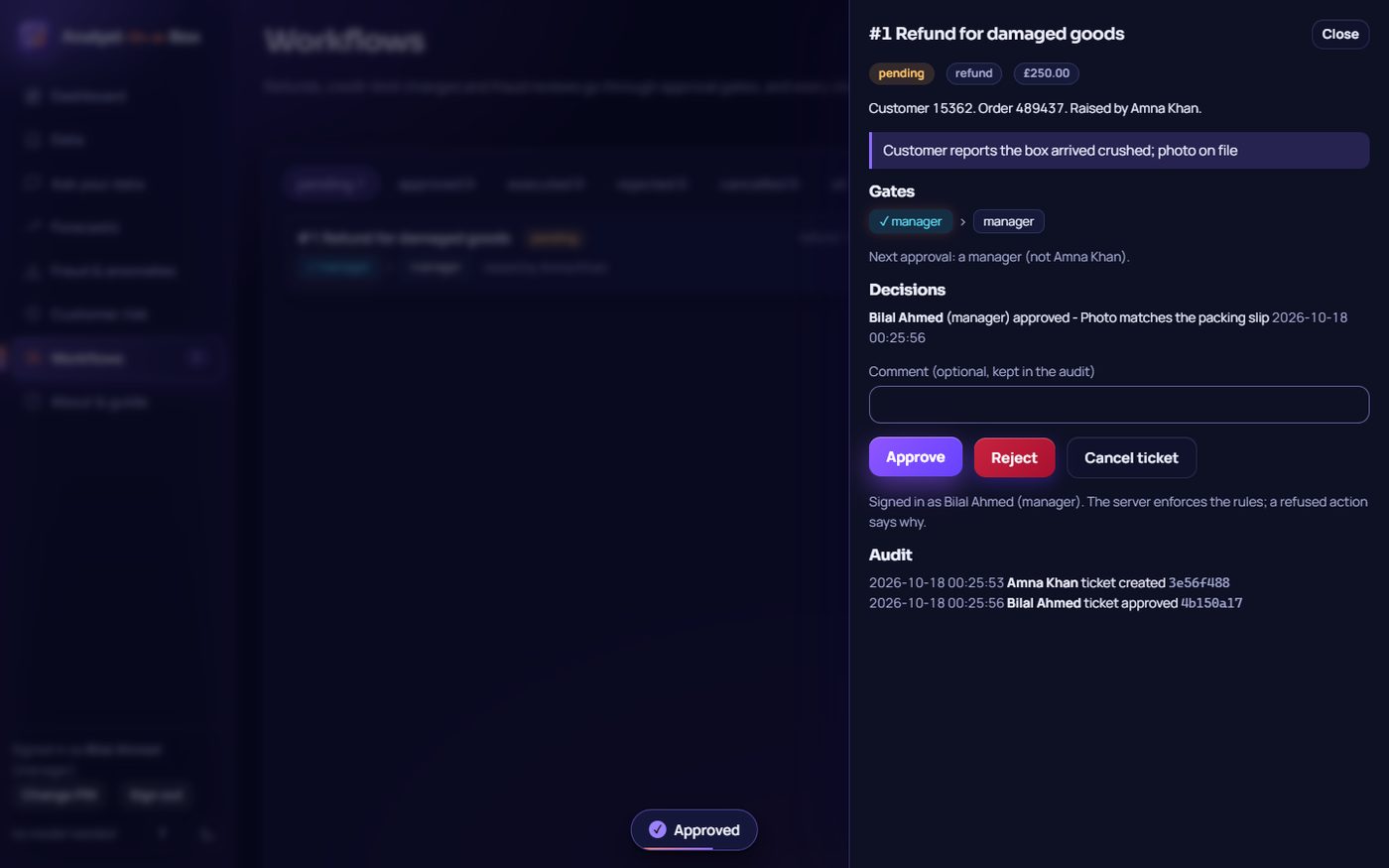
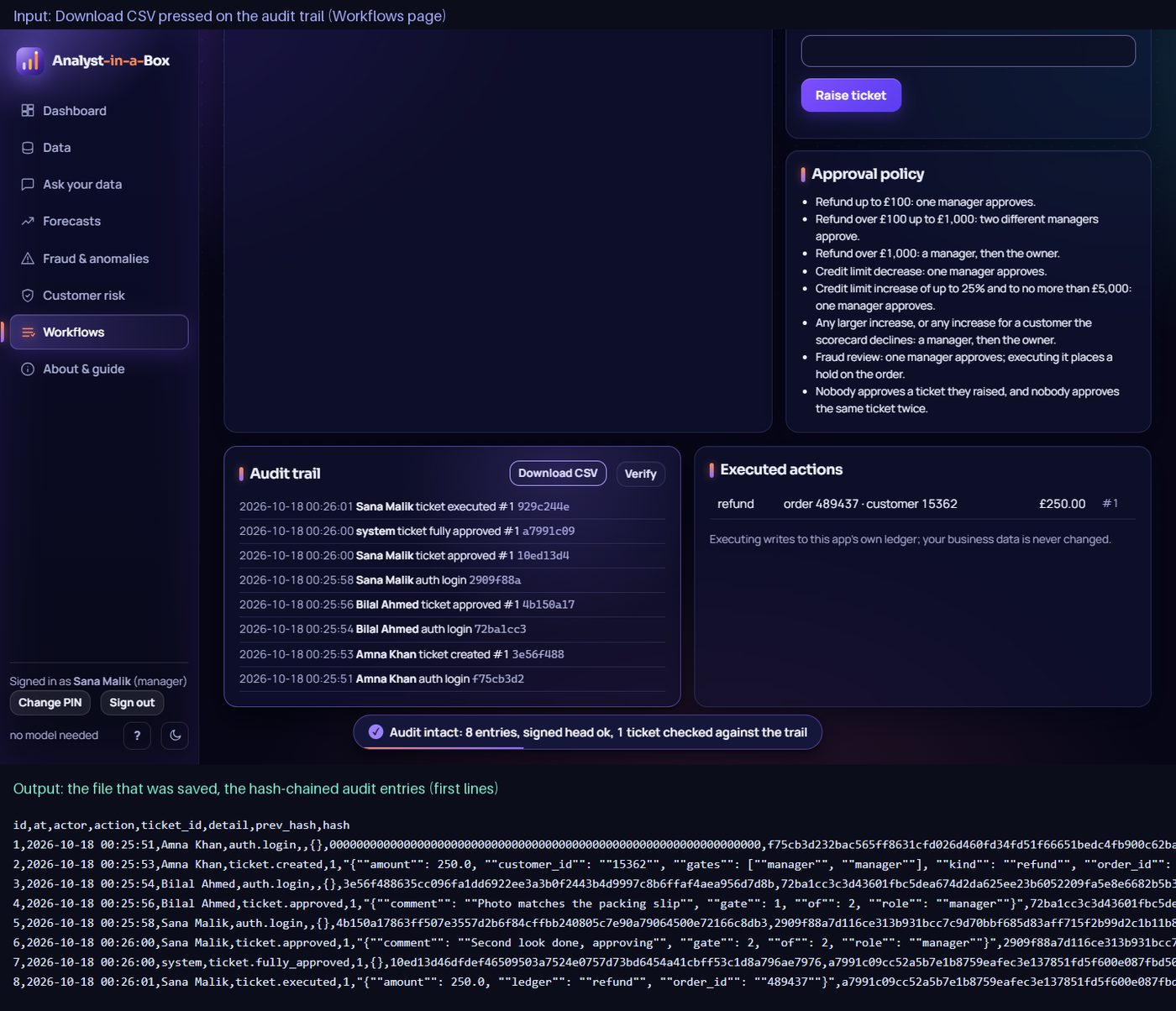
- Workflows: refund and credit-limit tickets, PIN sign-in, approval gates that depend on the amount, four-eyes rule, and a hash-chained audit trail with Verify.
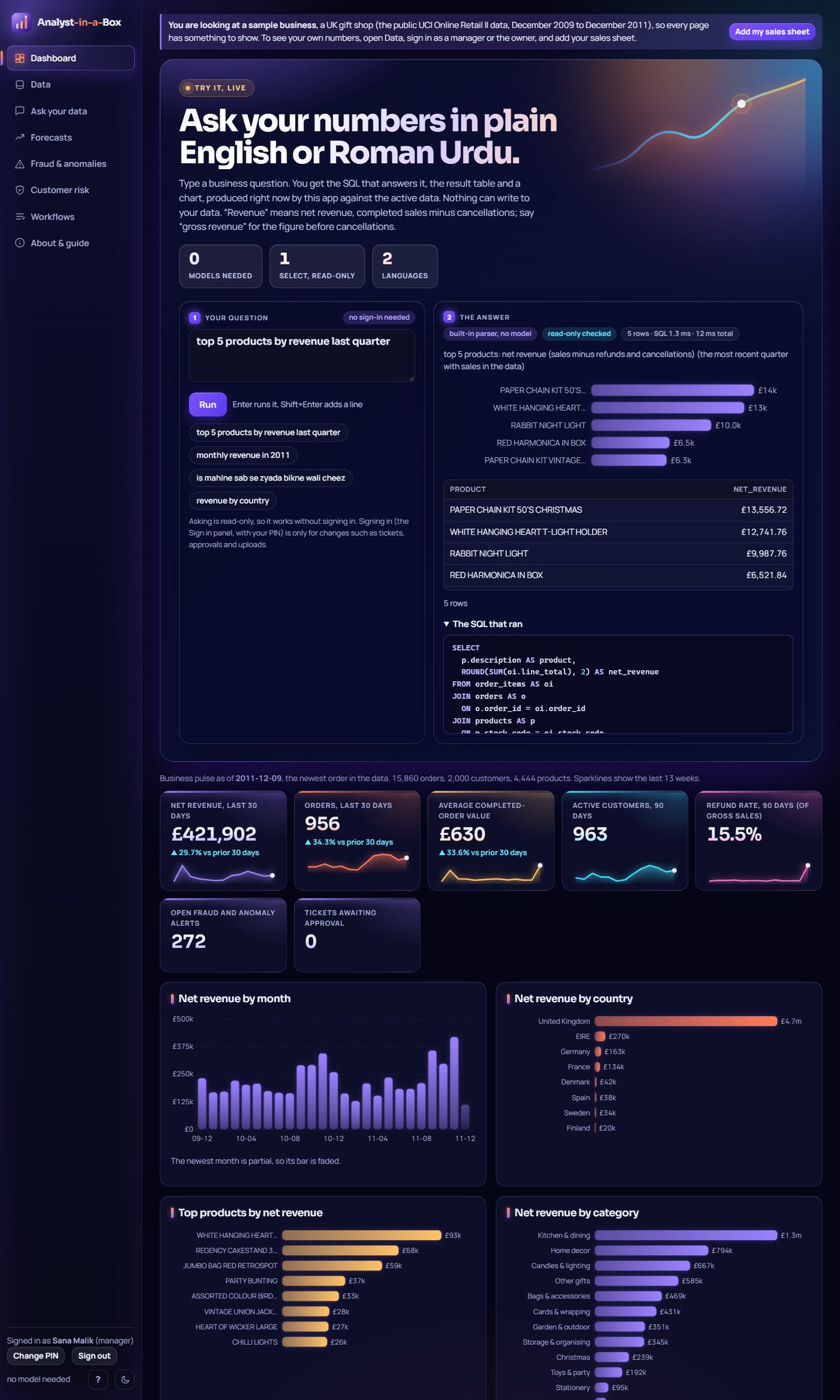
- Dashboard: revenue, orders, order value, active customers and refund rate with sparklines; CSV export of any result and of the audit trail.
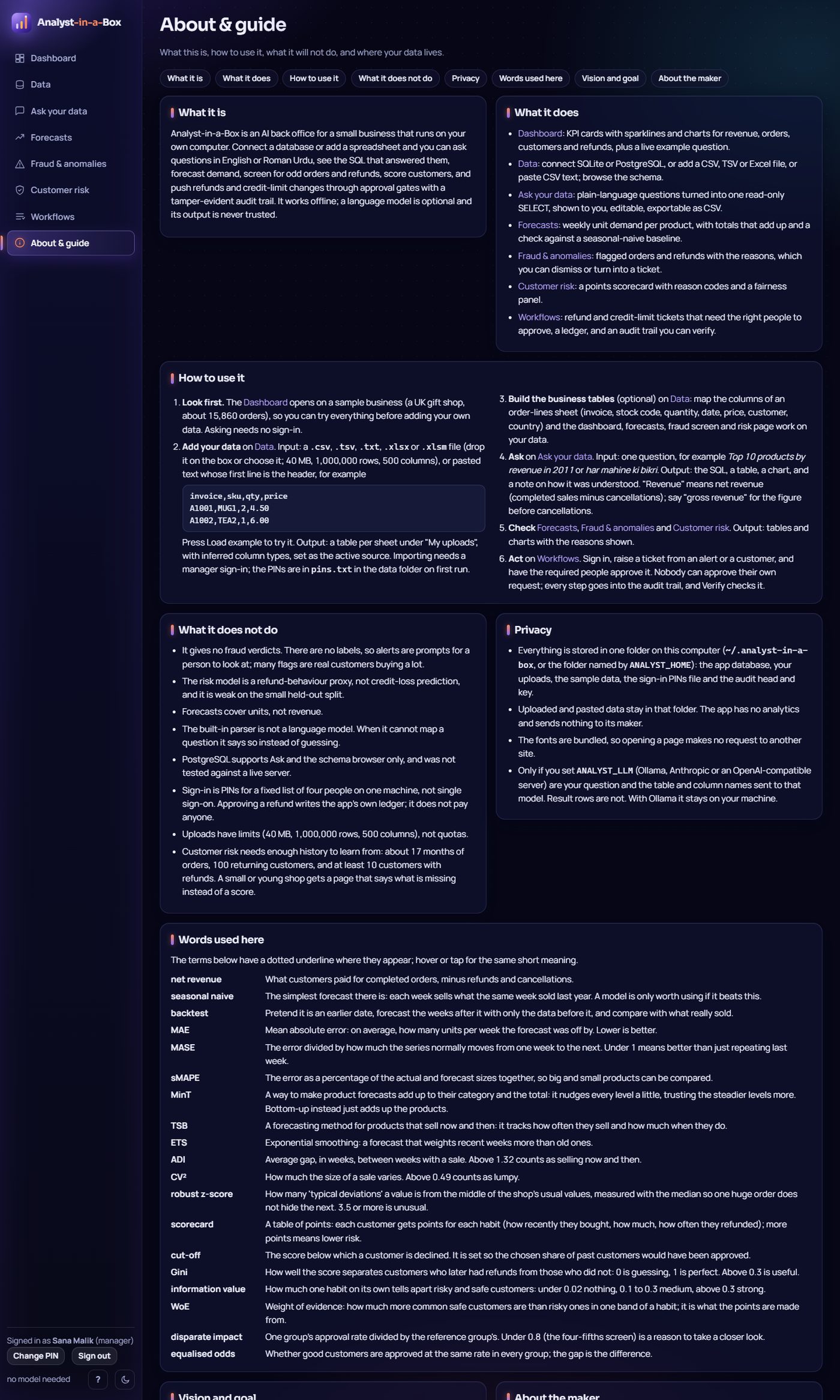
- Plain words: terms such as MinT, MASE, robust z-score, Gini and information value are underlined with a one-line meaning where they appear, and listed on the About page.
Gallery
Every picture is a real screenshot of the running app, taken by scripts/gallery.py (headless Edge, dark mode, sample data, a temporary data folder); the same text is in docs/gallery/CAPTIONS.md.
Home
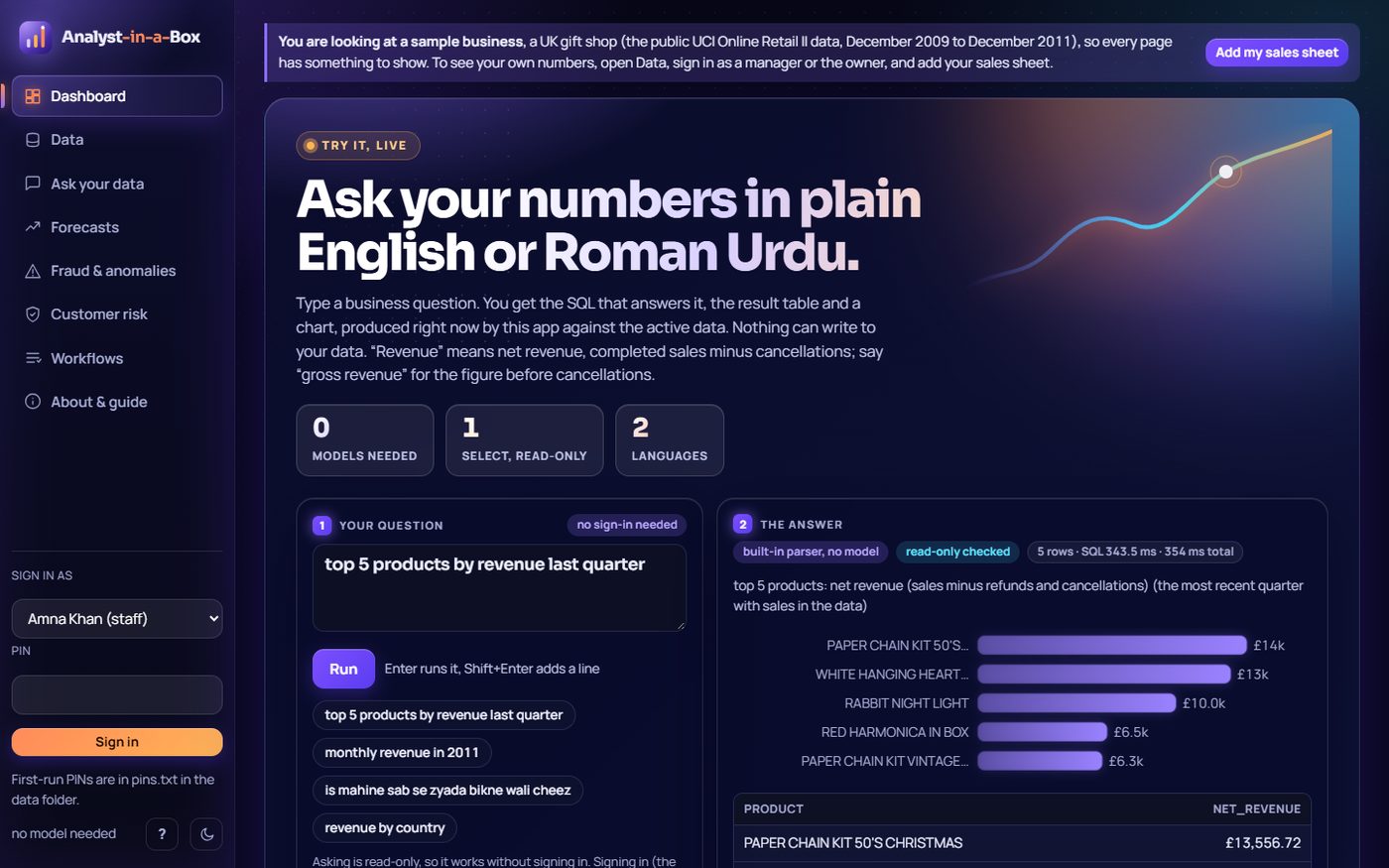
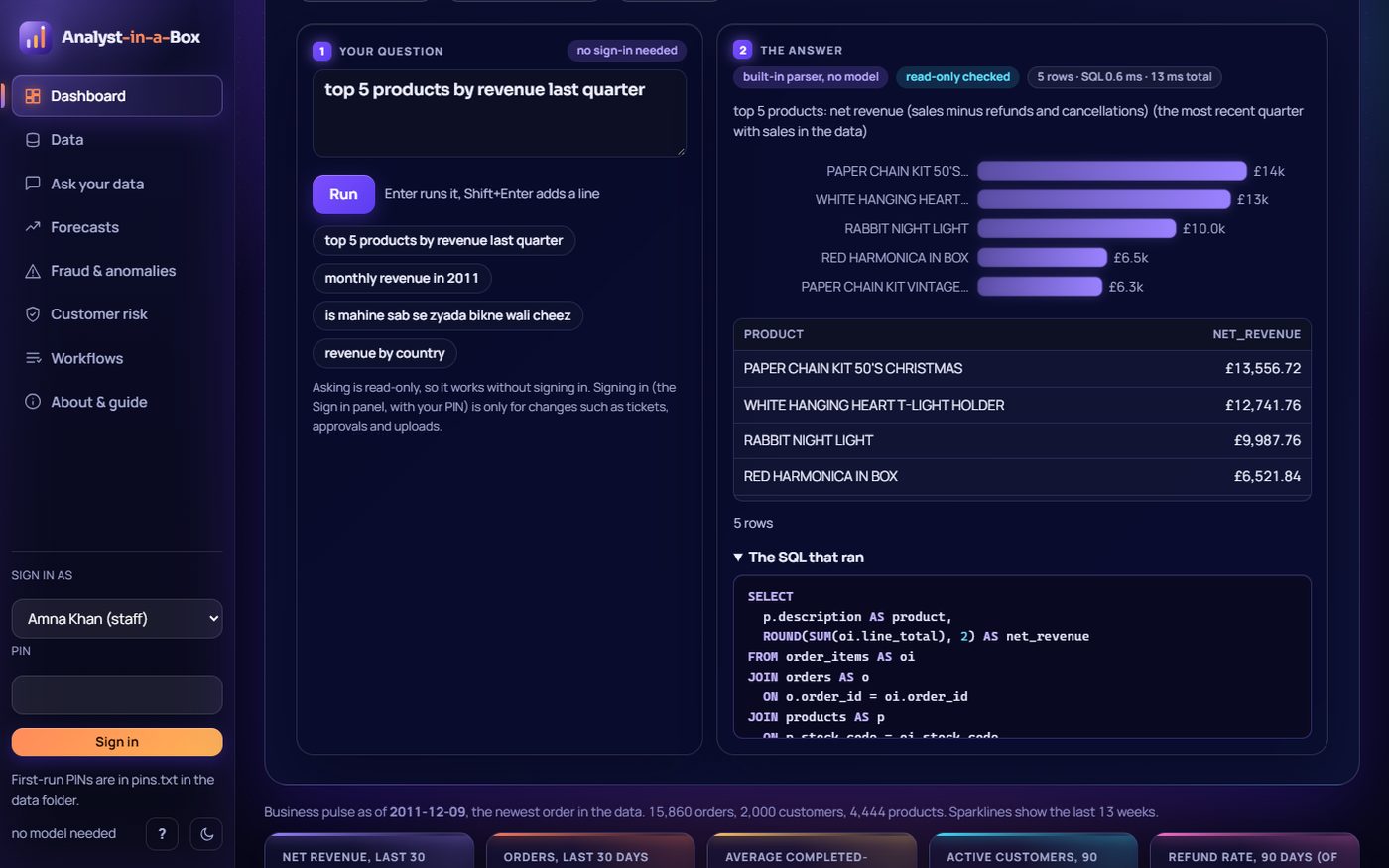
top 5 products by revenue last quarter. Output: SQL, a 5-row table and bar chart; "last quarter" is the newest quarter in the data.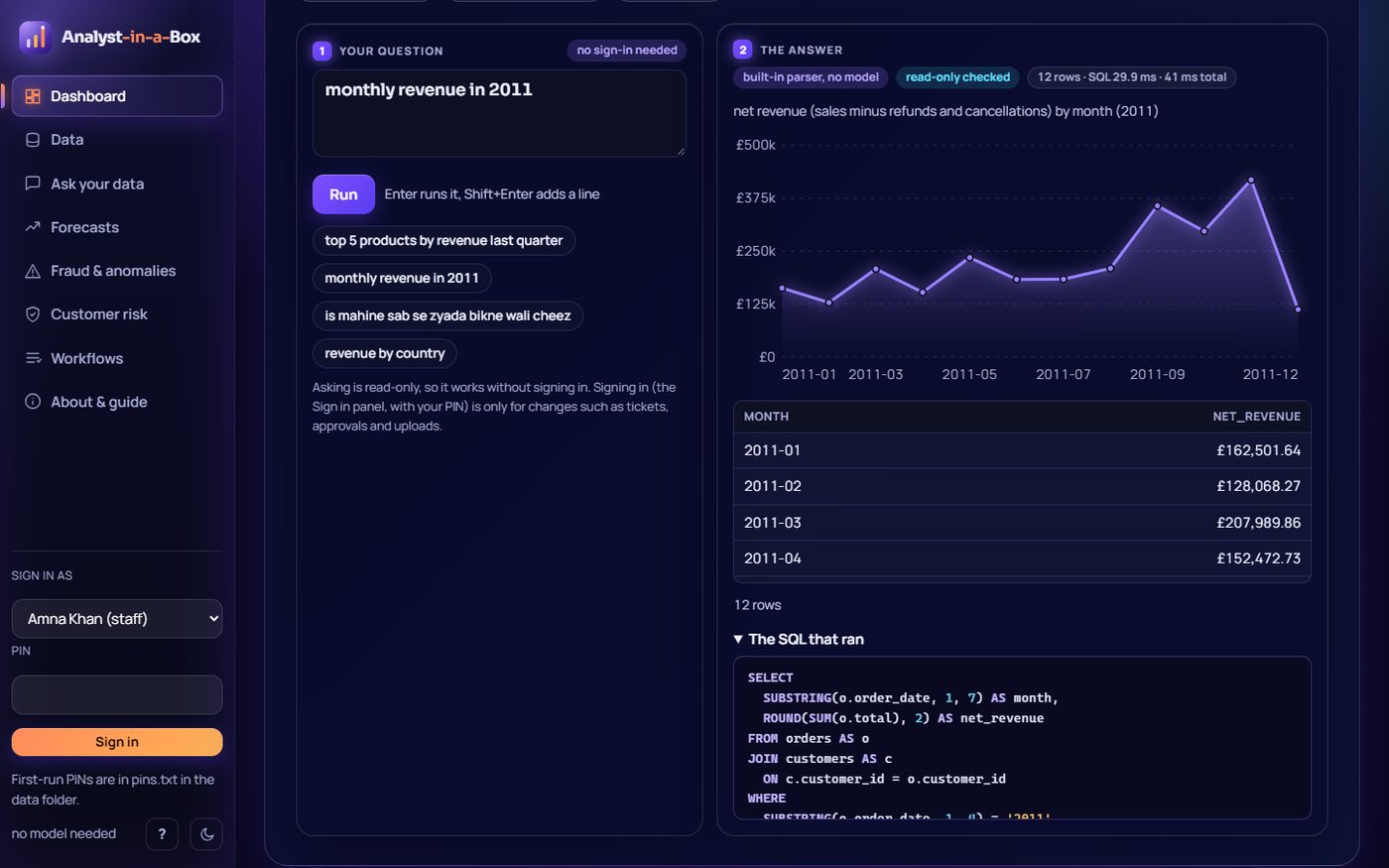
monthly revenue in 2011. Output: a 12-month table and a line chart from SQL with a 2011 filter.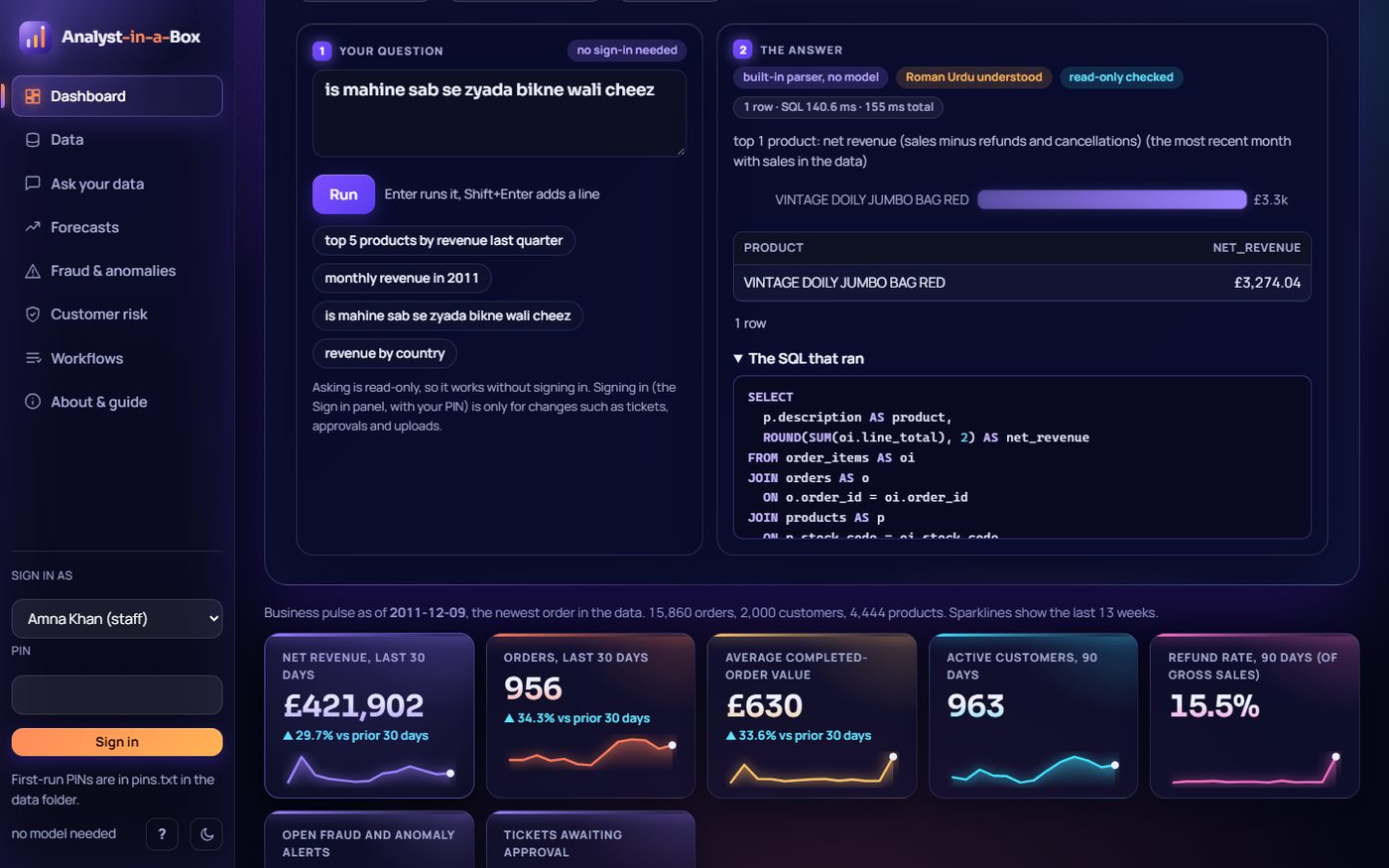
is mahine sab se zyada bikne wali cheez (Roman Urdu). Output: understood as "this month's top product"; 1 row (VINTAGE DOILY JUMBO BAG RED, £3,274.04) with its bar.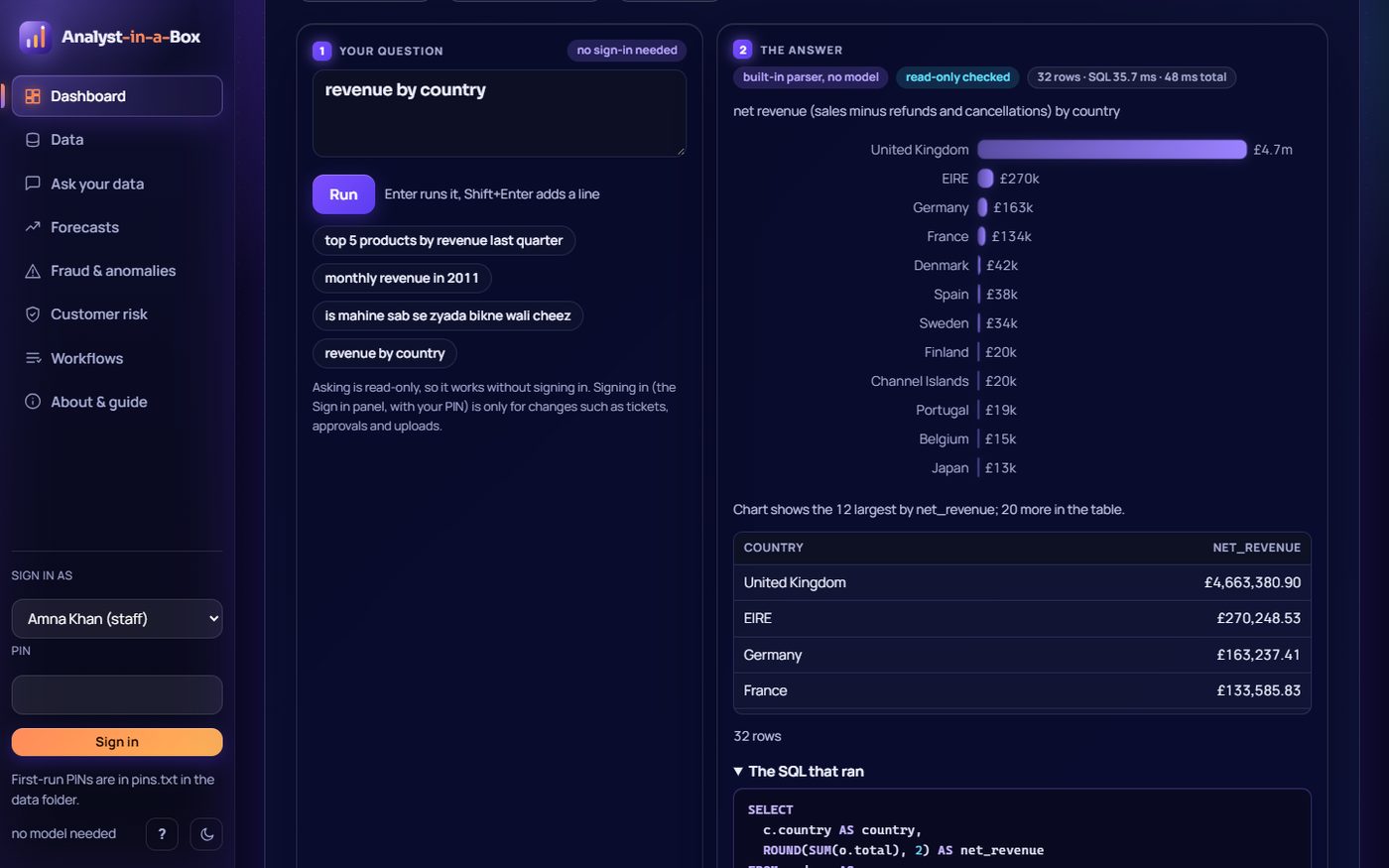
revenue by country. Output: 32 countries ranked by net revenue; the chart is horizontal bars with whole country names, the 12 largest drawn and "20 more in the table", with the SQL.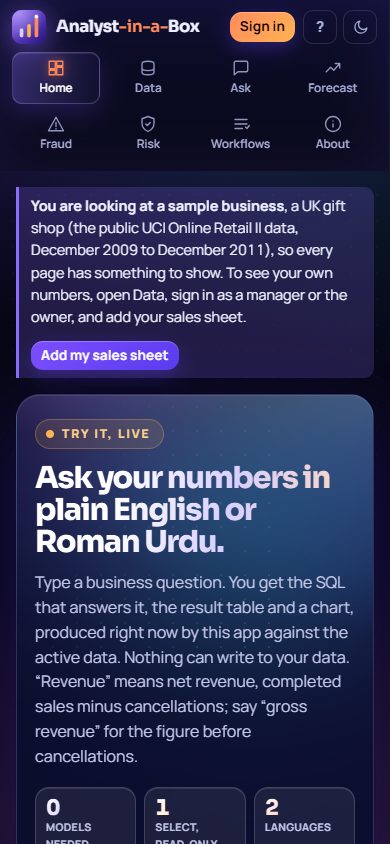
Data
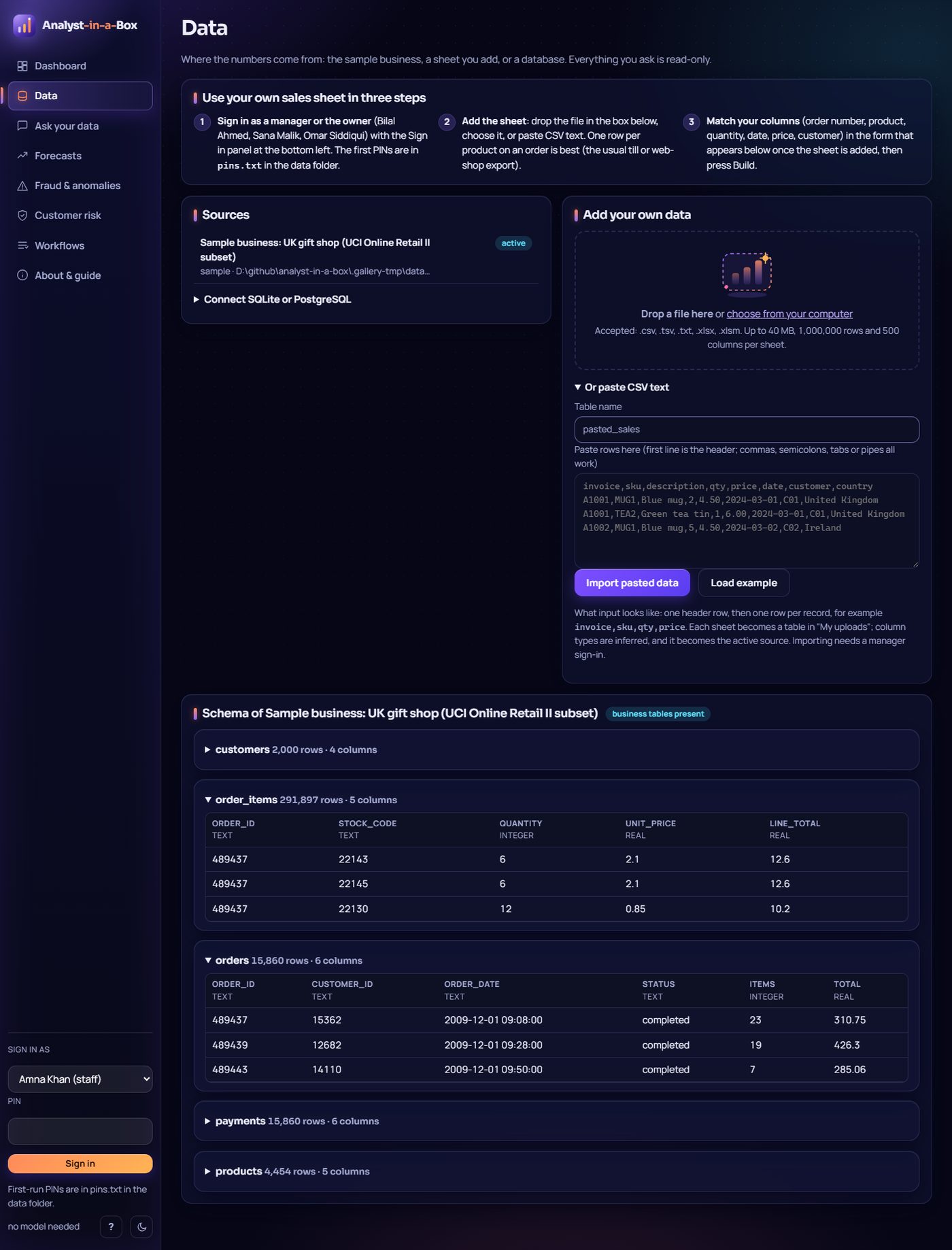
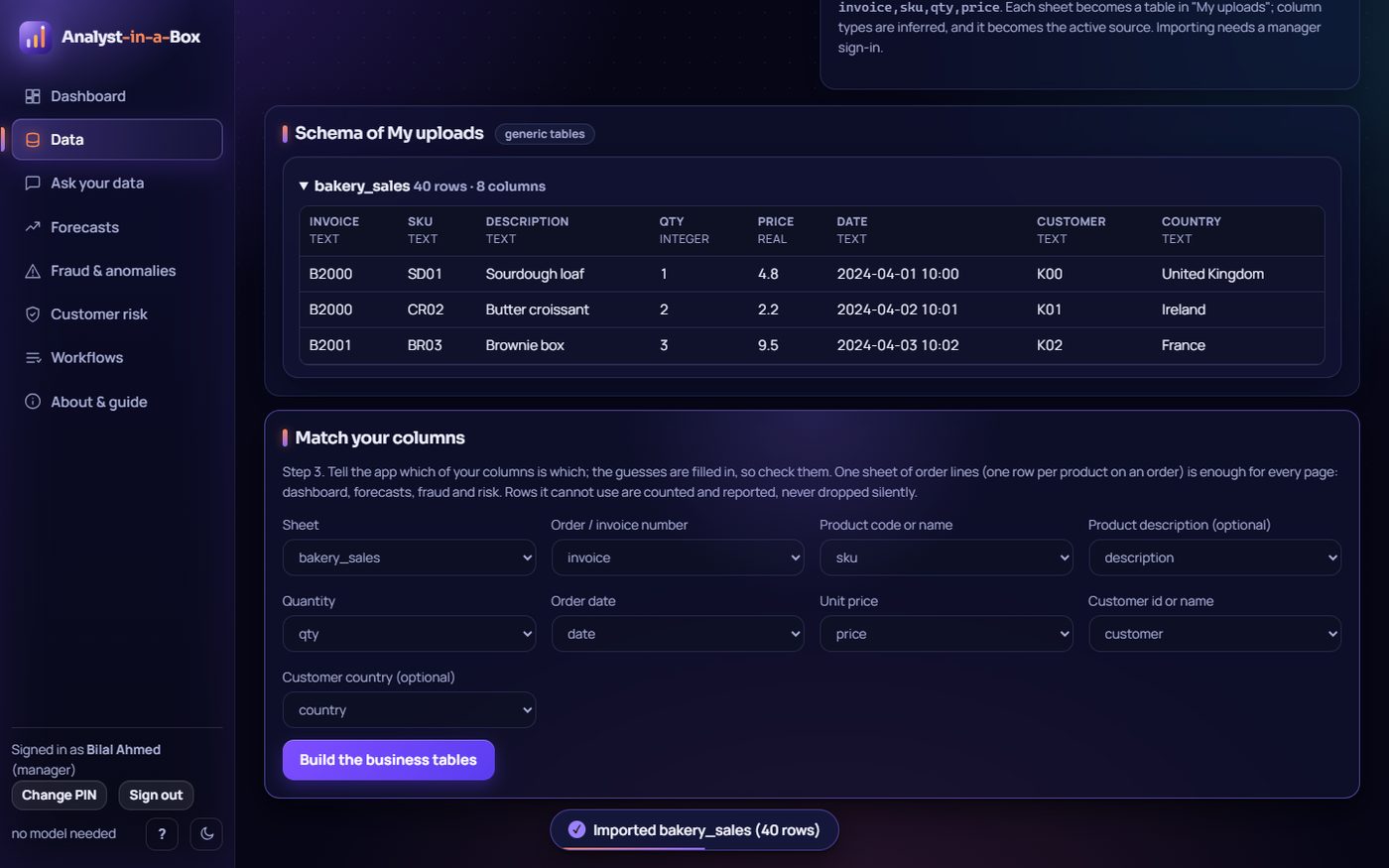
bakery_sales.csv (40 order lines) chosen through the file picker, signed in as a manager. Output: the "Imported bakery_sales (40 rows)" notice, the table with inferred types and sample rows, and the mapping form that turns it into business tables.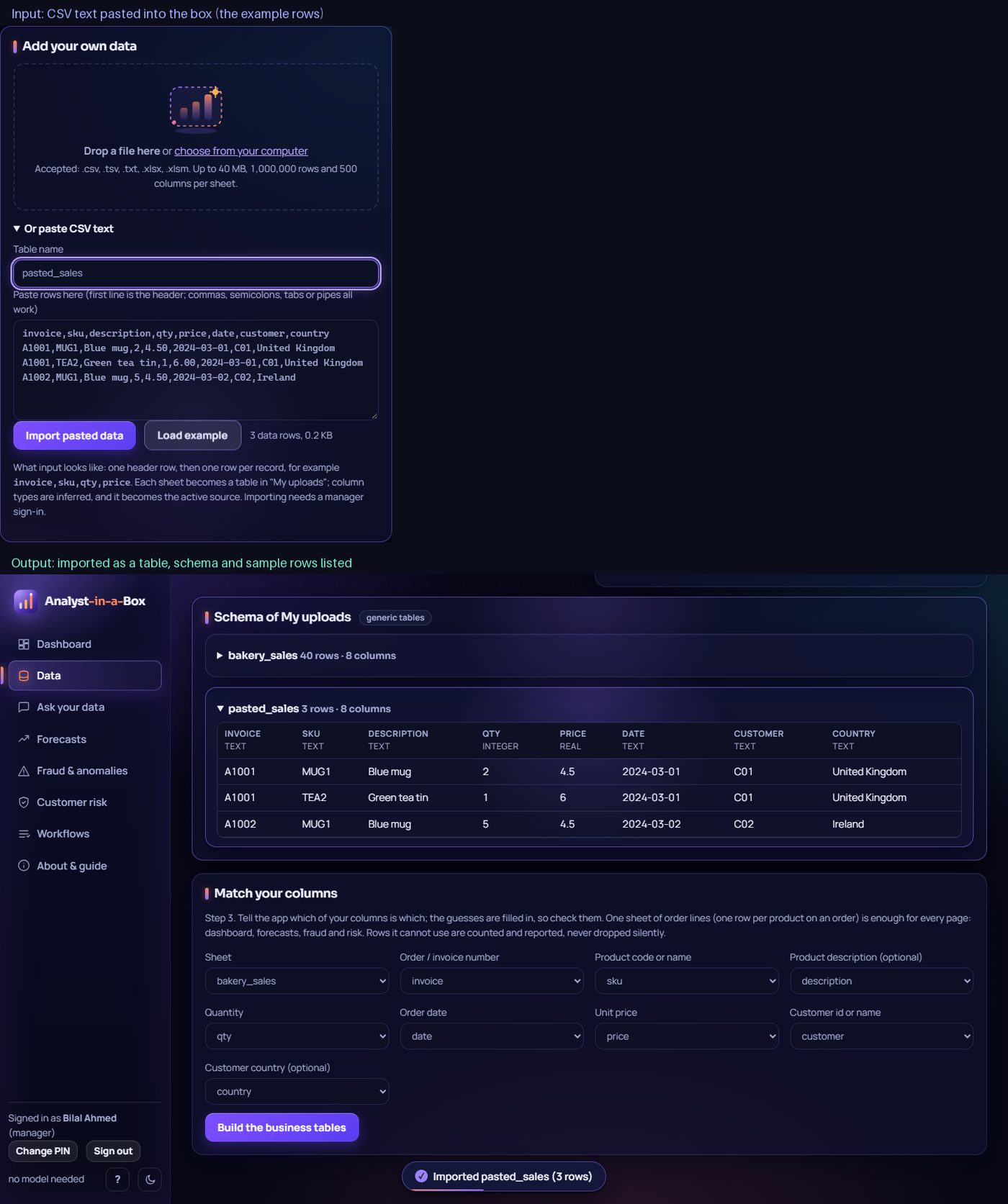
pasted_sales table with its columns, types and rows.Ask
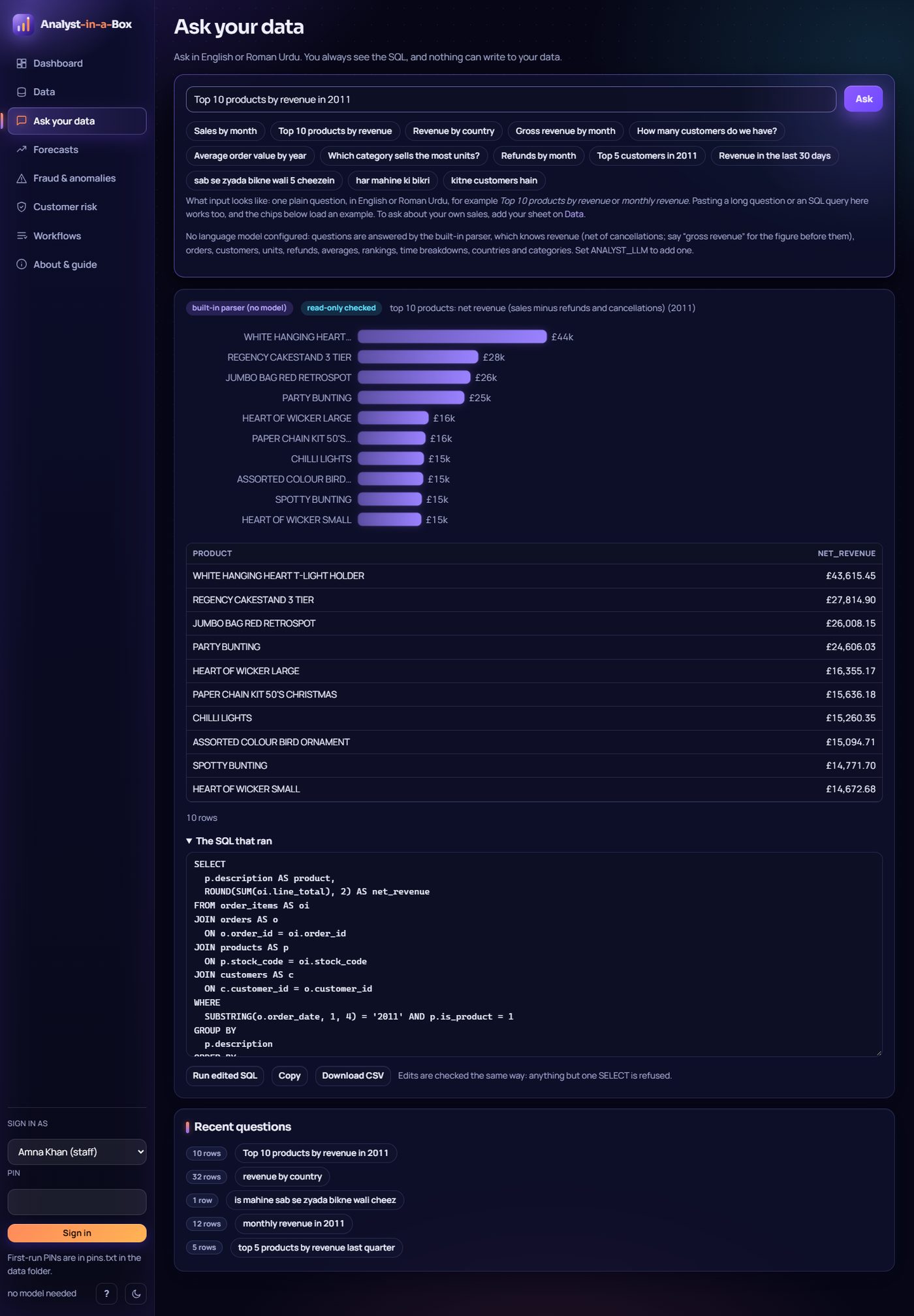
Top 10 products by revenue in 2011. Output: bar chart, table, and the editable SQL that ran; marked as built-in parser, read-only checked.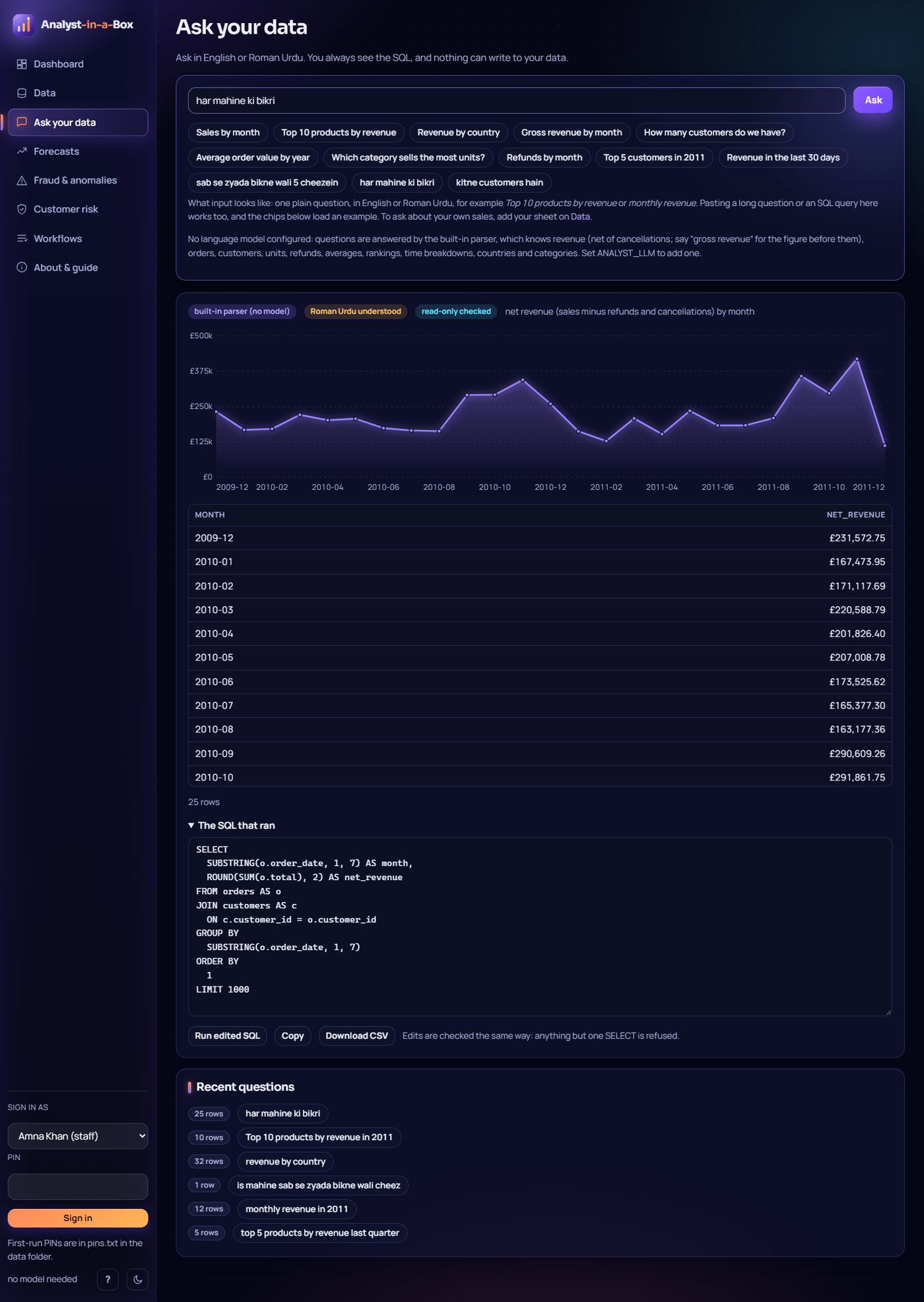
har mahine ki bikri (sales every month). Output: the badge "Roman Urdu understood", a 25-month line chart and table.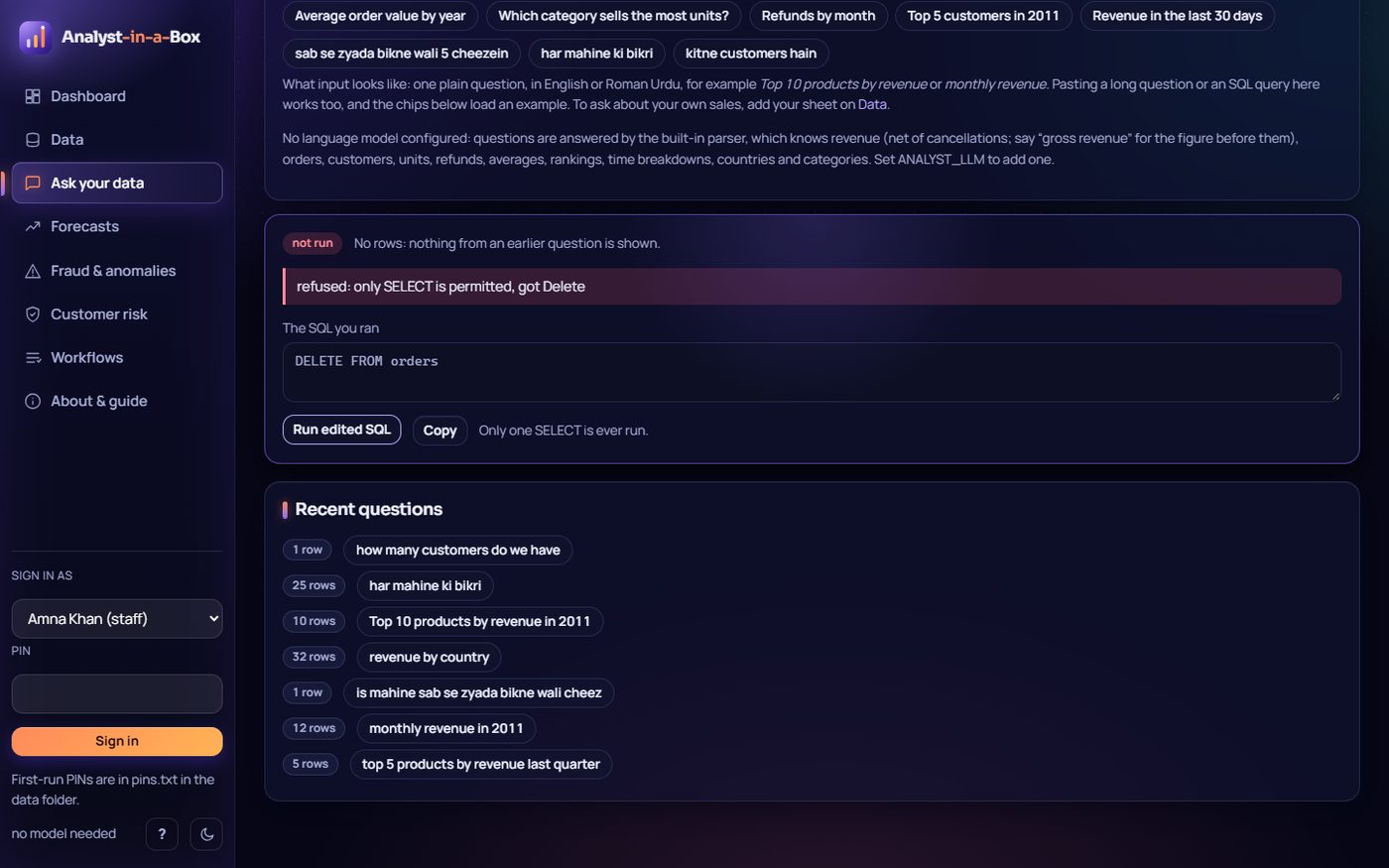
DELETE FROM orders and run. Output: refused, "only SELECT is permitted, got Delete", marked "not run"; the earlier result is cleared, not left under the refusal, and the SQL stays editable.Forecasts
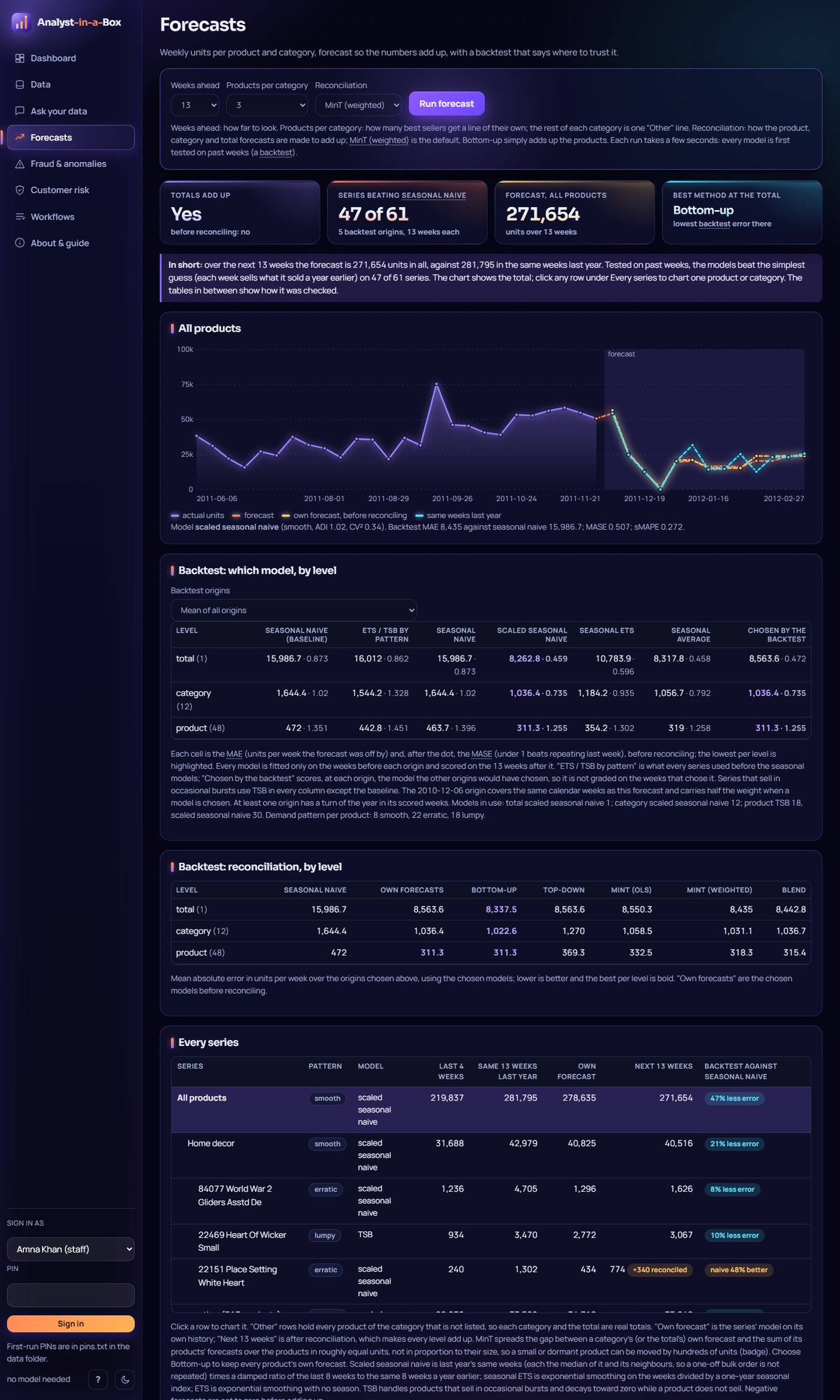
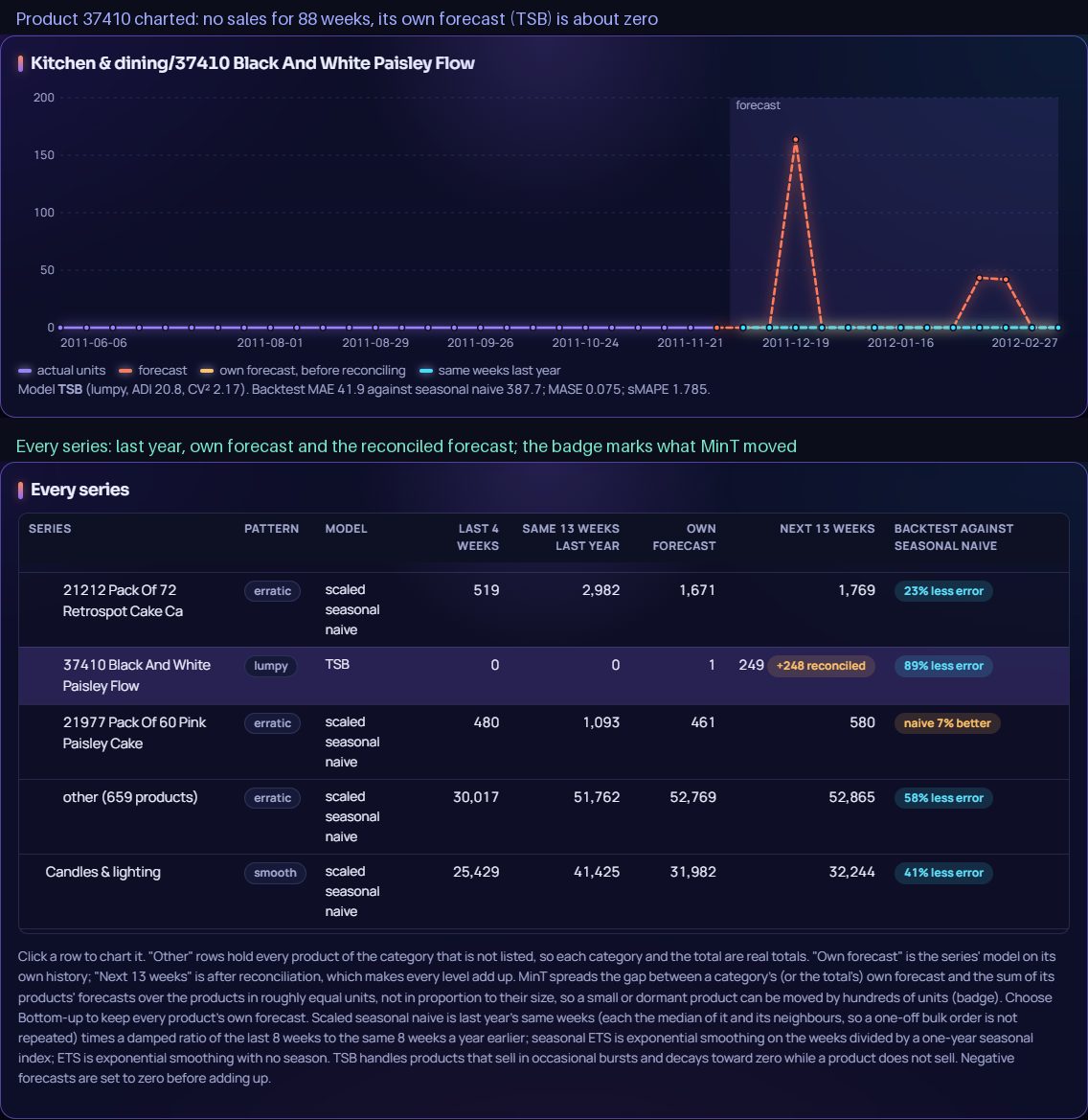
Fraud & anomalies
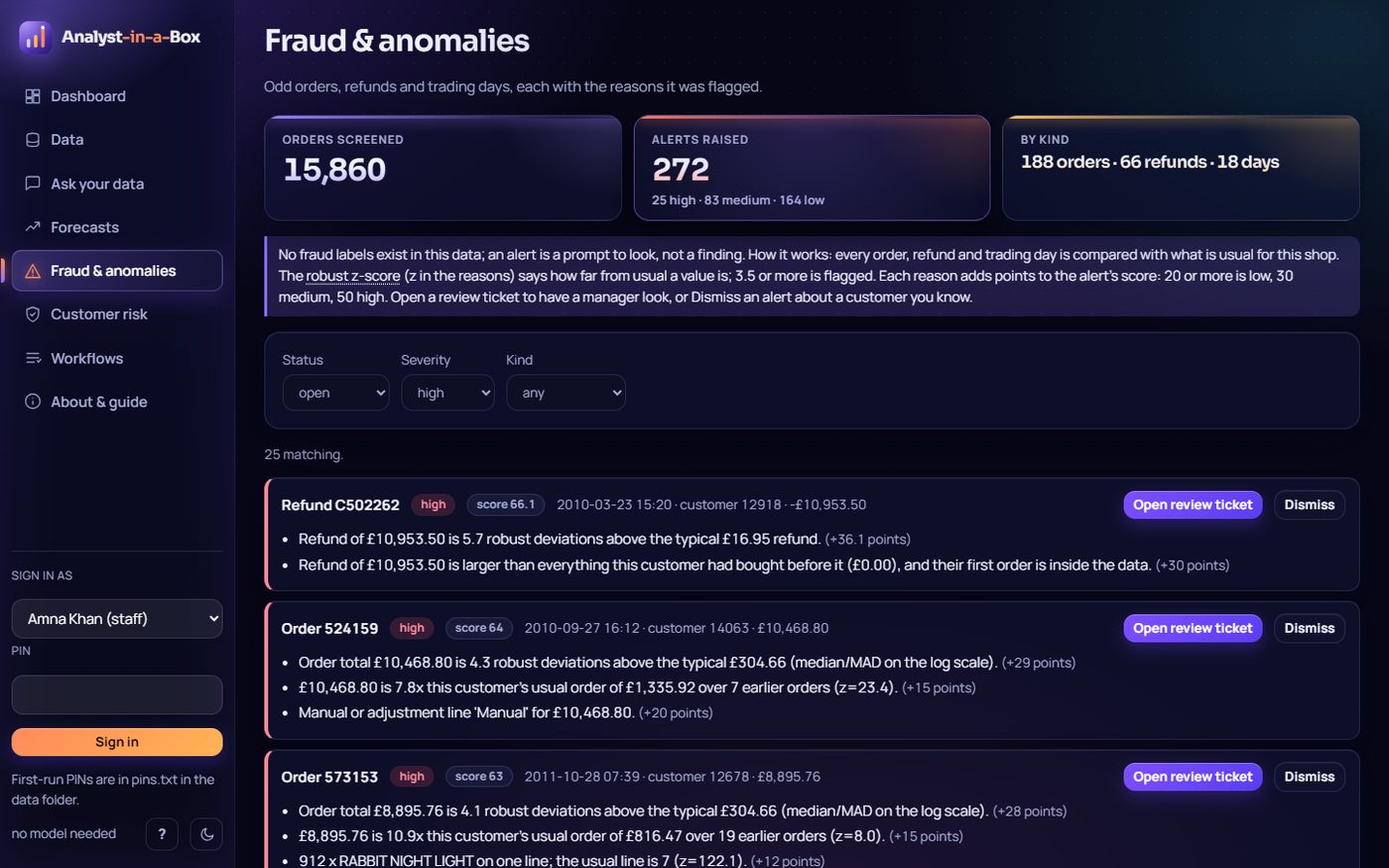
Customer risk
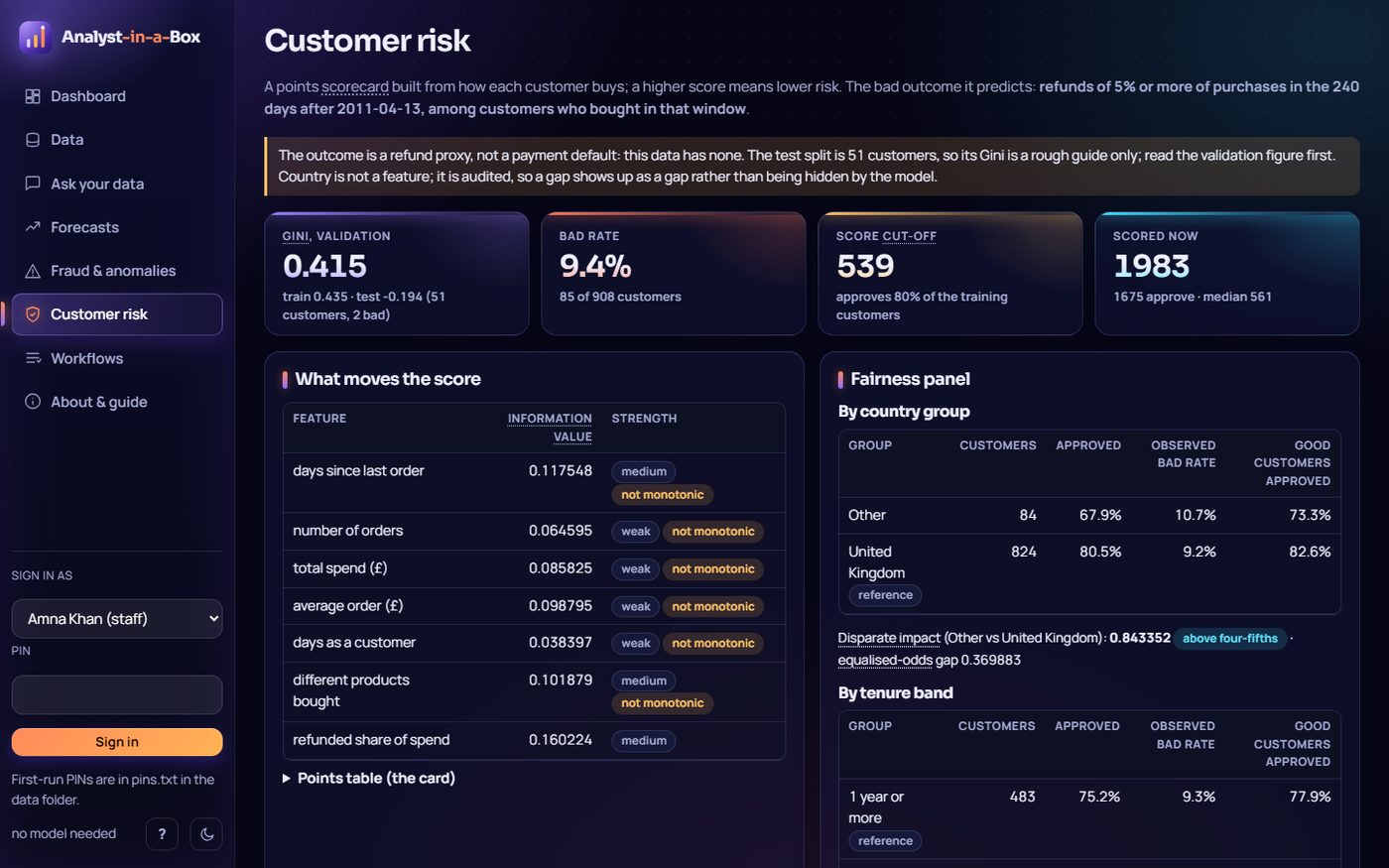
Workflows
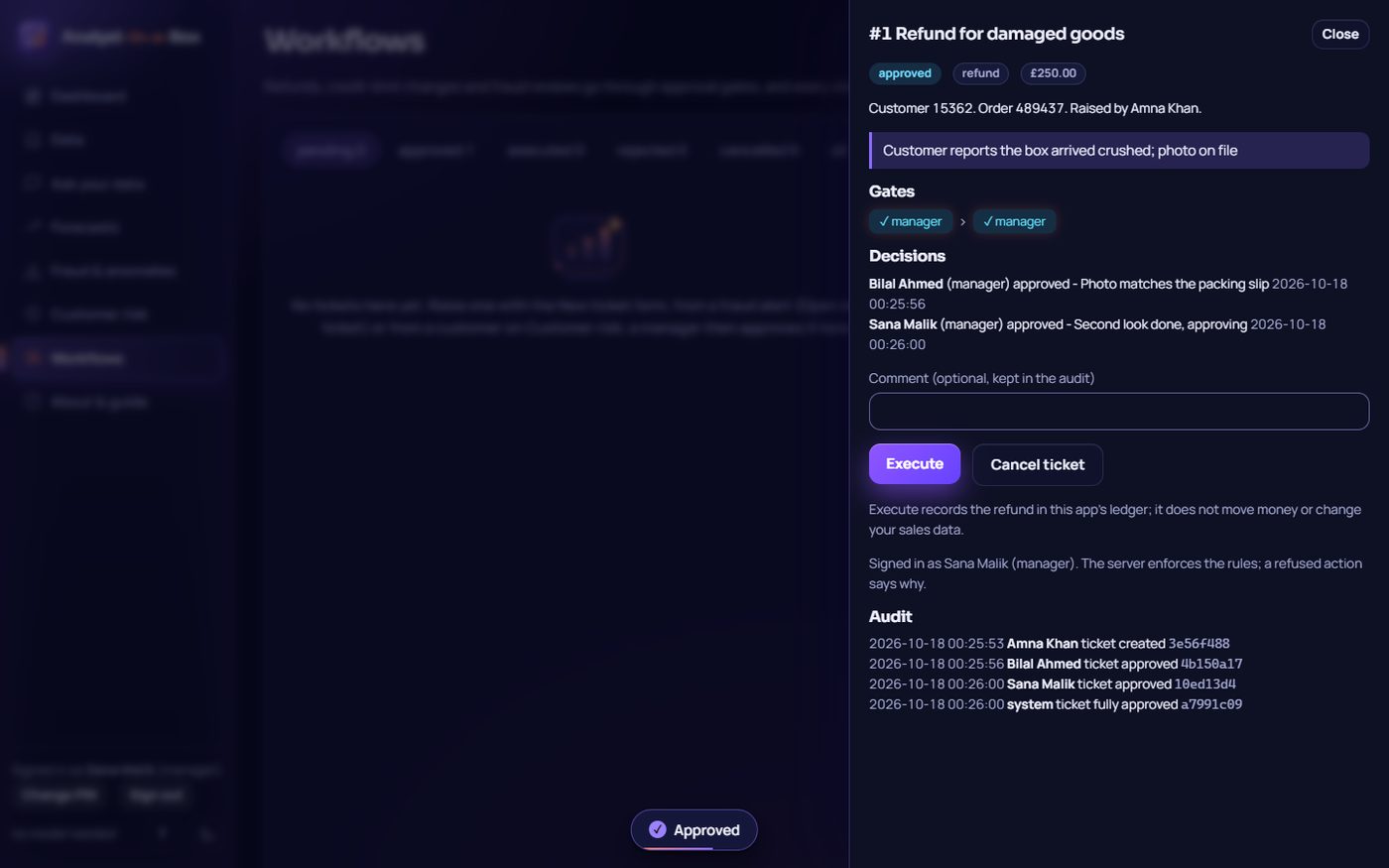
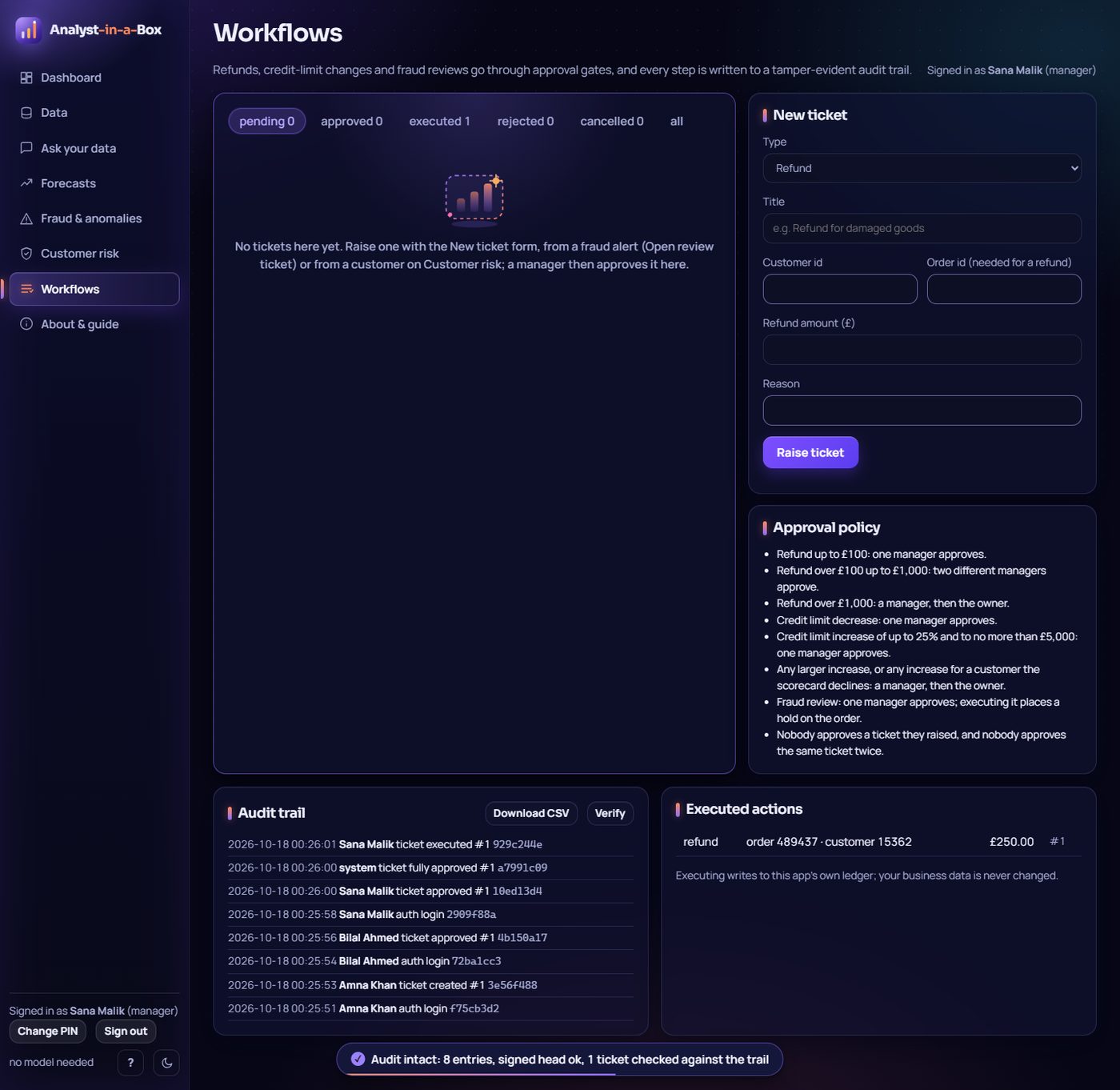
Dashboard
Export
About
Inputs
| Feature | Upload from the computer | Paste | Hint and example |
|---|---|---|---|
| Data (spreadsheets) | file picker or drag and drop; .csv, .tsv, .txt, .xlsx, .xlsm; 40 MB, 1,000,000 rows, 500 columns; progress bar, clear errors | paste CSV text | header-row format shown, Load example button |
| Data (databases) | SQLite file path | PostgreSQL URL | placeholder shows both forms |
| Ask your data | not applicable (a question is text) | type or paste a question or SQL | example chips, input hint |
| Dashboard, forecasts, fraud, risk, workflows | read what is in the active source | not applicable | an empty or non-business source points to Data |
Importing needs a manager sign-in. The in-app About & guide page (also the ? button) covers what it is, how to use each feature with its expected input and output, privacy, the roadmap and the maker.
Tech stack
- Backend: Python 3.11+, FastAPI, Uvicorn, SQLite, optional PostgreSQL
- SQL safety: sqlglot parses every query; only a single SELECT runs, on a read-only connection
- Forecasting: demand-forecast-platform (ETS, TSB for intermittent demand, MinT/bottom-up/top-down reconciliation, rolling-origin backtests), plus a scaled seasonal naive and a one-year seasonal index chosen per level by the backtest
- Risk scoring: credit-risk-engine (WoE binning, points scorecard, reason codes, fairness metrics)
- Uploads: CSV/TSV, Excel via openpyxl
- Security: PBKDF2-hashed PINs, approval policy enforced server-side, SHA-256 hash-chained audit log
- Frontend: vanilla JavaScript, HTML and CSS with SVG charts, no build step; light and dark themes
- Optional LLM: Ollama, Anthropic or any OpenAI-compatible API; generated SQL goes through the same read-only checks
- Tooling: uv, pytest, ruff, Playwright for the UI audit and gallery
Run it
uv run analyst-in-a-box # starts the server and opens http://127.0.0.1:8780
or double-click run.bat (or the "Analyst-in-a-Box" desktop shortcut). The first run builds the sample database in about ten seconds. Options: --port, --no-browser, --db FILE, --reset-pin "Name". Data lives in ~/.analyst-in-a-box (set ANALYST_HOME to move it). Python 3.11+ and uv; everything runs on the CPU and offline.
Optional language model (never required), set before launching:
ANALYST_LLM=ollama     ANALYST_LLM_MODEL=qwen2.5-coder:7b          # CPU Ollama on localhost:11434
ANALYST_LLM=anthropic  ANTHROPIC_API_KEY=...                       # ANALYST_LLM_MODEL defaults to claude-haiku-4-5
ANALYST_LLM=openai     OPENAI_API_KEY=...  ANALYST_OPENAI_BASE_URL=...
Signing in. Reading, asking and exporting need no sign-in. Anything that changes state (tickets and their approvals, dismissing alerts, uploads, adding or removing a data source) needs a name and a PIN. On the first start after this version the app gives each of the four people a random 8-character PIN, stores only salted PBKDF2 hashes, and writes the PINs once to pins.txt in the data folder: hand each person their own line and delete the file. A lost PIN is replaced with analyst-in-a-box --reset-pin "Bilal Ahmed"; anyone can change their own PIN from the sidebar. Five wrong PINs lock that name for 60 seconds.
PostgreSQL needs the optional driver: uv sync --extra postgres.